Pinterest ad sizes by format
| Format | Size and ratio | File | How many images |
|---|---|---|---|
| Standard image ad | 2:3, 1000 x 1500 px recommended | PNG or JPEG; up to 20 MB on desktop, 32 MB in the app | 1 |
| Carousel | 1:1 or 2:3 on every card | PNG or JPEG; up to 20 MB per image | 2 to 5 |
| Collections | Main image 1:1 or 2:3; the smaller ones all 1:1 or all 2:3 | PNG or JPEG; up to 10 MB | 1 main, 3 or more smaller recommended, 24 at most |
| Showcase and quiz | 2:3, 1000 x 1500 px recommended for full-screen images | Up to 32 MB | A title Pin plus cards or results |
| Idea ad | 9:16, 1080 x 1920 px recommended for full-screen images | BMP, JPEG, PNG, TIFF or WEBP | Several, in one Pin |
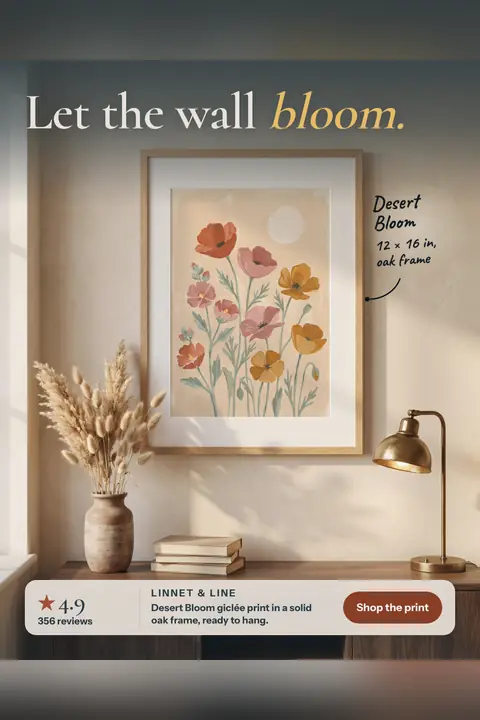
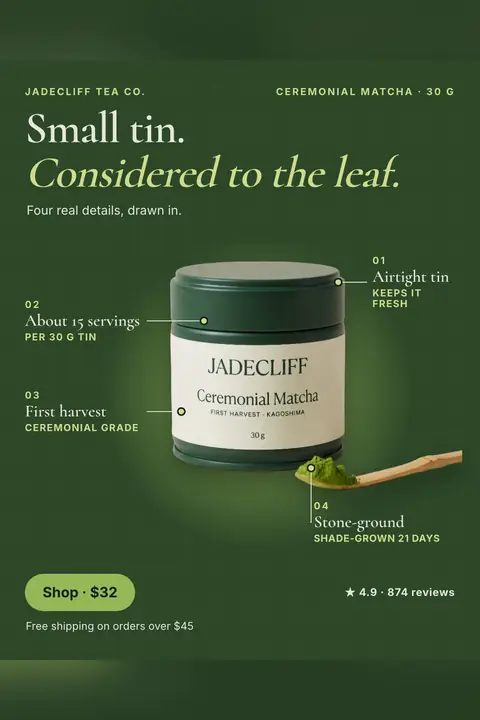
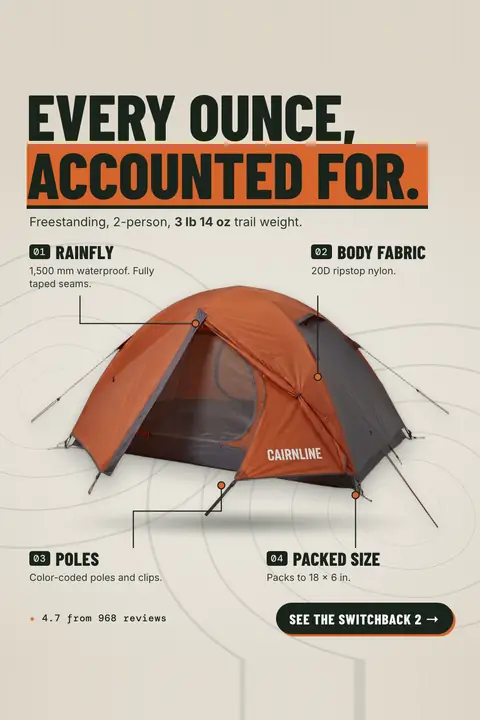
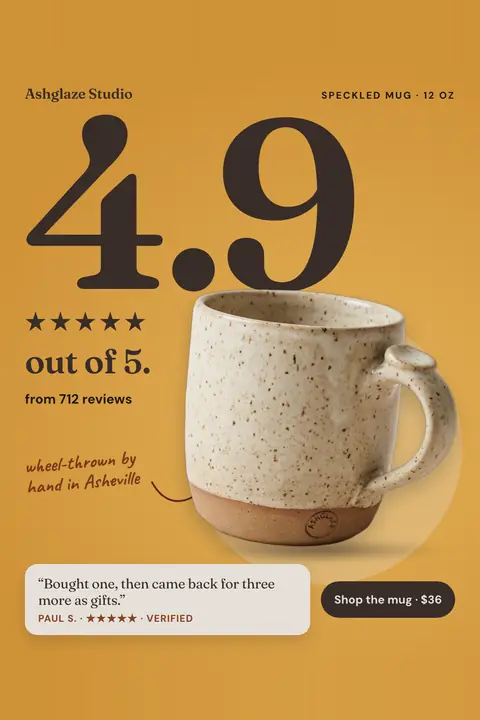
For a store selling products, the standard image ad is the one to get right first: it's one image, it's the shape the other formats borrow, and it's what a carousel or collection is built from. On height, Pinterest's wording is direct: pins with an aspect ratio greater than 2:3 might get cut off in people's feeds.
Carousels made with the Sales objective pull 2 to 10 cards from your catalog instead, so their images are your catalog photos rather than designed pins.
Titles, descriptions and words on the image
| Field | Limit | What people see |
|---|---|---|
| Title | Up to 100 characters | The first 40 or so may show in the feed, depending on the device (30 in Chinese, Japanese, Korean, Arabic and other double-byte languages) |
| Description | Up to 800 characters | Not shown in the home or search feed, and not shown for ads viewed up close; Pinterest uses it to decide who sees the ad |
| Text on showcase and quiz images | No more than 10 words | Pinterest's limit for those formats |
So the image does the talking in the feed. Put the product name and the one reason to buy on the pin itself, write a title whose first 40 characters make sense on their own, and use the description for the words people search for.
Two details most size guides leave out
- Pinterest re-saves every upload as a JPEG. All images become 8-bit RGB JPEGs. Pinterest suggests uploading PNG in sRGB to avoid losing quality, and says custom color profiles aren't supported, so colors can shift a little.
- White and black backgrounds get a tint. In light mode, Pinterest lays a black layer at 4% opacity over pins with a white or near-white background; in dark mode, a white layer at 10% over black or near-black ones. A pure white pin turns faintly gray in the feed, so don't build a design around an exact white edge.
Is Pinterest 9:16?
Not for a standard pin. Pinterest recommends 2:3 for standard image ads and warns that taller pins can be cut off. 9:16 at 1080 x 1920 is its recommendation for full-screen images in idea ads, and Pinterest also takes vertical video up to 9:16.
Idea ads come with their own safe zone: keep text and other elements out of the top 270 px, the left 65 px, the right 195 px and the bottom 440 px. Showcase cards cover their bottom 80 px. If you only have one image for Pinterest, make it 2:3.
How our 2:3 pin is made
Every paid StoreToAds design includes a 1000 x 1500 PNG for Pinterest. We design and check the 4:5 feed version first, then try a layout made for 2:3, with more room for the product and the headline kept big. When that layout fails our checks, the pin is the 4:5 design placed on the 2:3 canvas with its background carried above and below, and the app labels it as fitted from the feed design.
The 2:3 files we measured on November 4, 2026 were far under Pinterest's 20 MB limit, the largest about 1.6 MB. There is no Pinterest connection yet: download the pins and upload them in Pinterest Ads Manager. We make single images, so a Pinterest carousel is something you assemble from two to five of our pins.
Want to see pins rather than specs? Our Pinterest ad examples show twelve product pins at this size, grouped by the plan people save them for.