The short version
- Canva if you like designing, need more than ads (posts, decks, print), or want to start for free. Pro is US$144 a year.
- AdCreative.ai if you want many ad variations generated for you, in many sizes, with a predicted score to rank them, and you'll manage a card trial carefully. Starter is $39 a month.
- Neither reads your store. In both, the price, sale price, rating and review quotes in an ad are whatever you type.
What making one product ad looks like in each
In AdCreative.ai you set up a brand (logo, colours, fonts, audience), add your product image and a few lines about the offer, and it generates a batch of creatives in the sizes you pick, each with a predicted score. Generating is unlimited; a credit is used when you download one. Its homepage also lists AI product photoshoots, a product video from one image, UGC-style video and a compliance checker.
In Canva you start from an ad template or a blank size, place your photo, type the copy and adjust the layout yourself. On Pro, Magic Resize turns one design into other sizes and Background Remover cuts out the product. Canva Grow can draft ads with AI from your brand and, once you connect an ad account, publish to Meta, TikTok and LinkedIn; Canva says Google Ads and Amazon Ads work through app integrations.
“I use canva the most for creatives i can make one decent looking in about 10-20 minutes”
Reddit, r/FacebookAds comment, Mar 23, 2026“after using it for multiple campaigns, the designs start to feel a bit rep[etitive]”
G2, 4.5-star review of AdCreative.ai, Aug 1, 2025
That's the trade in one line: Canva costs your time and gives you control; AdCreative.ai saves the time and gives you its templates.
What it costs a one-person shop
Prices on October 17, 2026, from each company's own pages. Taxes extra.
| AdCreative.ai | Canva | |
|---|---|---|
| Free | No free plan; a 7-day trial with 10 credits | Free plan: up to 20 AI uses a month, 1.6M+ templates |
| Entry plan | Starter: $39/month, $29 quarterly, $20 yearly | Pro: US$144 a year for one person |
| Team plan | Professional: $249/month, up to 10 users | Business: US$250 a year per person |
| What runs out | Download credits, which expire each billing cycle | The monthly AI allowance (Pro: up to 200 Premium AI uses) |
| Extra | Higher plans for more credits and users | AI Pass add-on or top-ups (Business) for more AI |
For roughly 20 new product ads a month, Canva Pro is the cheaper subscription by a wide margin, but you make each ad and each size. AdCreative.ai's Starter may not cover 20 downloads, depending on which credit count applies to your plan. Either way, the subscription is the smaller cost; the hours are the bigger one.
Trials, cancelling and refunds
This is where the two differ most, and where most complaints about AdCreative.ai sit.
- AdCreative.ai: a card at sign-up for the 7-day trial, which renews on the plan selected at sign-up unless you cancel. Refunds within 7 days of a monthly charge, or 30 days on yearly plans, if you haven't used the platform. Our AdCreative.ai review walks through the cancel steps and the refund wording.
- Canva: a free plan with no card. The Pro and Business trials are available once per account and once per payment method. You can cancel any time and keep premium features until the period ends, or pause a plan for up to 3 months. Its help center is plain about refunds: "In most cases, Canva subscriptions aren't refundable", though it reviews each request.
Public ratings on October 17, 2026: Canva 4 on Trustpilot (7,804 reviews) and 4.7 on G2 (7,756); AdCreative.ai 3.5 on Trustpilot (4,605) and 4.3 on G2 (794). Canva's low-star reviews in our reading were mostly about cancelling and refunds too, from a far larger user base.
What neither one does
Both start from what you give them. Neither opens your product page, reads the current price or the review count, or checks that the numbers in an ad still match the store. If your prices change often, or you run sales, that check is on you, in every size of every ad.
Both can also change how your product looks: AdCreative.ai's photoshoots restage it with AI, and Canva's AI edit tools can alter a photo if you use them. That's fine for a scene and risky for a label. We tested what image models do to products on our tested ad prompts pages: without the photo, the product was redrawn almost every time.
Where StoreToAds fits, and where it doesn't
StoreToAds is the third option for one narrow job. You paste your store link; it reads your products, prices, ratings and reviews, designs static ads around your real product photo (cut out, never redrawn) and checks every number and quote against your pages before you see the ad. Weekly plans add new ads every Monday and can send them to Meta as paused ads. You see 3 ads of your own product before any card.
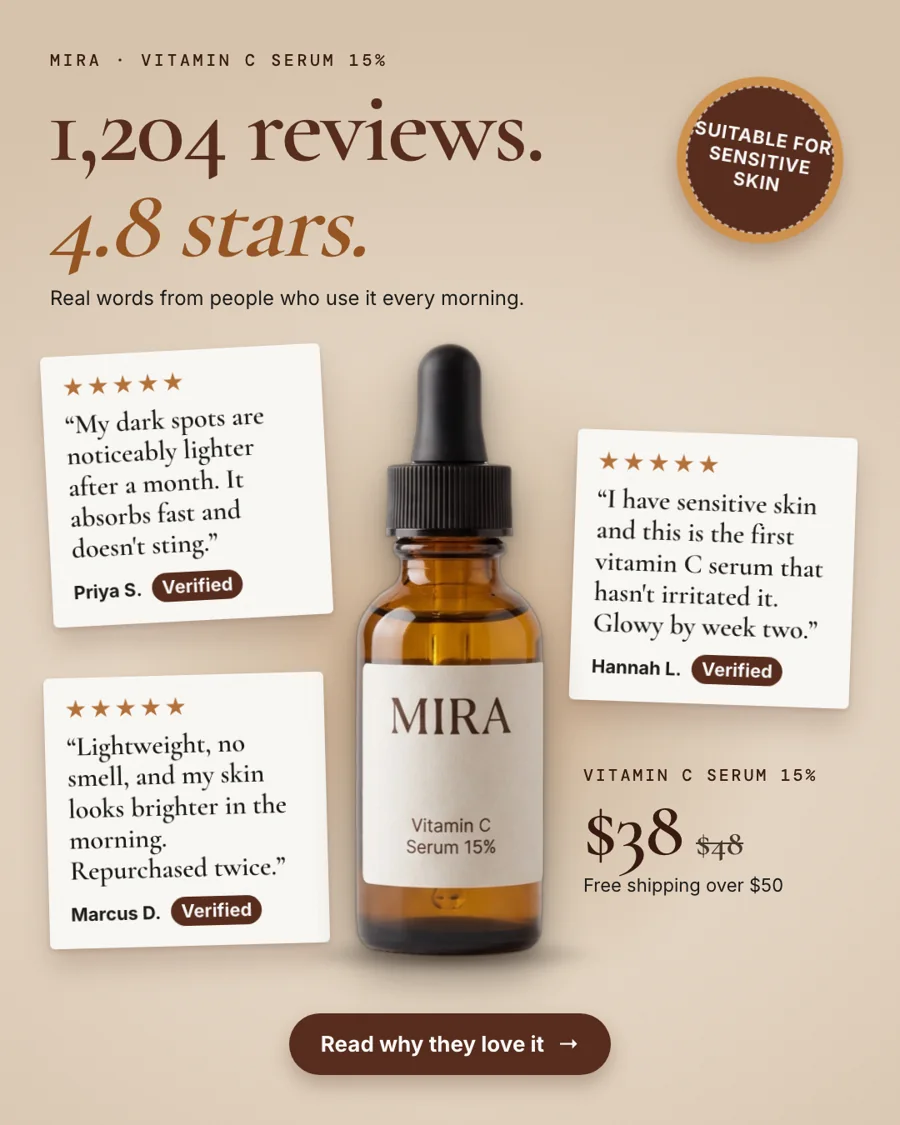
Honest note: StoreToAds has no blank canvas, no template library, no decks or print, no video beyond a 7-second motion version and no predicted score. If you need those, Canva or AdCreative.ai fits better, and many shops keep Canva for everything that isn't an ad.
Which one to pick
- You enjoy designing and want one tool for everything: Canva. Start free and pay for Pro when you need Magic Resize and the background remover.
- A team needs many ad variations across networks, with video: AdCreative.ai, with the plan and billing term chosen deliberately and a reminder before day 7.
- You sell physical products online and want ads made from your store, with the facts checked: try StoreToAds' free preview, then decide.
Switching away from one of them? Our AdCreative.ai alternatives and Canva alternatives pages compare more options for each.