Examples
12 Facebook ad examples for ecommerce, angle by angle
Screenshots of other brands' ads are hard to reuse. These are blueprints: what goes where, a headline you can adapt, and when each angle earns its spend. The examples use our fictional sample brands.
By the StoreToAds team · · 5 min read
How to use these blueprints
Each example is built on one reason to buy. That matters more than color or font. Two ads with different layouts but the same message tell you very little; two ads with different reasons to buy tell you what your customers care about. Pick three or four angles that fit the data you actually have (reviews, a real sale price, a clear feature) and run them side by side.
One rule for all twelve: the product photo stays big and sharp, the headline stays under about eight words, and every number on the ad matches your store.
Proof angles
1. The review card
Layout: one customer quote in large type, the star rating and review count below it, the product to one side. Headline: the quote, trimmed to its strongest words. Run it when a product has a high rating and quotes that describe a specific result or feeling. It is a dependable first test for cold audiences.

2. The quote wall
Layout: four to six short review snippets as cards around the product. Headline: the total, like "1,204 reviews. 4.8 stars." Run it when you have many reviews and no single quote stands out. The volume is the message.
3. The big number
Layout: one huge figure (a rating, hours of burn time, hours to delivery) with the product beside it. Headline: the number plus a few words, like "50 hours of fig and cedar." Run it when one fact is both true and surprising, and only with a number your store states.
Product angles
4. The annotated product
Layout: the product in the center, two to four labels with thin lines pointing at real features. Headline: the main benefit. Run it for products whose details justify the price: materials, ingredients, construction.

5. The notes spotlight
Layout: scent, flavor or ingredient notes placed around the product, often on a dark background. Headline: the notes as a list, like "Jasmine. Peach. Honey." Run it for coffee, tea, candles, fragrance and food, where shoppers buy a sensation they cannot try through a screen.
6. The lifestyle photo
Layout: your own photo of the product in use, full bleed, with a short editorial headline in a calm part of the image. Run it when you have a good lifestyle shot with no text baked in. It reads like content rather than an ad, which helps on Instagram.
Offer angles
7. The price drop
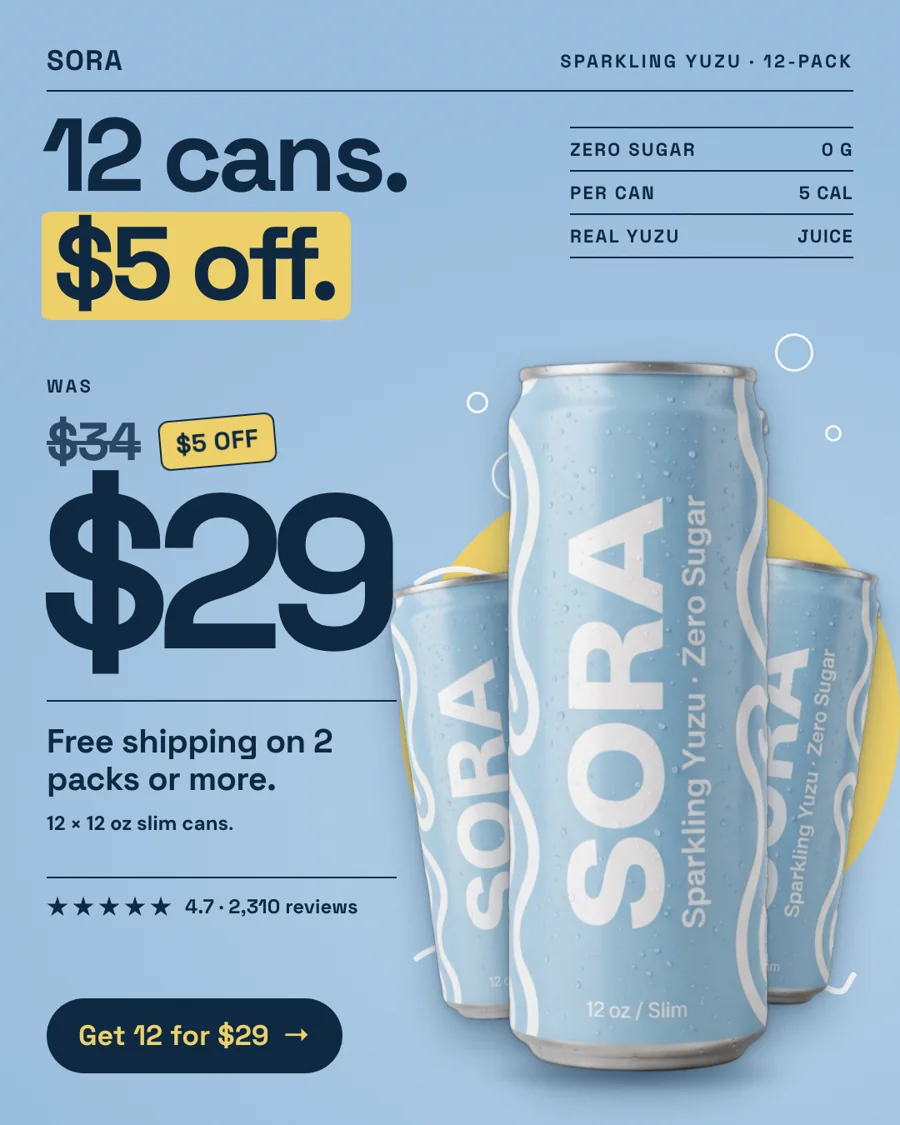
Layout: the old price struck through, the new price large, the saving in a sticker. Headline: the saving in dollars or percent, whichever looks bigger. Run it only during a real sale. A was-price you never charged misleads shoppers and can get the ad, and you, in trouble.
8. The bundle
Layout: the items in the set side by side, the bundle price, and the saving against buying them separately. Headline: something like "The full routine, $12 less." Run it when the products are used together and the bundle exists on your store.
Comparison and problem angles
9. Us vs them
Layout: a two-column table with your column highlighted and four or five rows. Headline: a claim the table proves, like "Not all coffee is roasted this week." Run it when you differ from the usual alternative on facts you can back up. Compare against a category ("a typical supermarket bag"), never a named rival.
10. The POV meme
Layout: a casual "POV:" line in native social style with the product as the punchline. Headline: "POV: it's 3pm and you walk right past the vending machine." Run it for everyday products with a clear moment of use. It works when it sounds like your customers, not like a brand trying to be funny.
Native formats
11. The Notes-app list
Layout: a phone note with a checklist that ends with your product. Headline: the note's title, like "gift list (done)" or "morning routine, sorted". Run it in gifting seasons and for routine products. It looks like something a friend would screenshot, so it earns a second look.
12. The text-message thread
Layout: friends recommending the product in a chat, with the product photo sent as an attachment. Headline: the message that sells it. Run it for products people already recommend by word of mouth. The copy has to read like real texting, and any claim in it still has to be true.
Which angles to test first
Start with three that contradict each other, so the results actually teach you something. A good first set for most stores:
- a proof angle (review card or quote wall), if you have reviews;
- a product angle (annotated product or notes spotlight);
- an offer, if you have a real sale, or a comparison if you don't.
Give each the same budget and enough time to collect clicks before you judge. Our creative testing guide covers how much spend that is and how to read the numbers.
Where StoreToAds fits
StoreToAds builds these formats from your store: the review card from your verbatim reviews, the price drop only when your store shows a compare-at price, the big number only from a figure on your pages. Each batch mixes angles and formats, comes in five sizes, and every word can be changed before the ads go to Meta as paused drafts.