What Meta Advantage+ creative is
Advantage+ creative is a set of optional enhancements inside Meta Ads Manager. When it is on, Meta adjusts your images, videos and text into versions it expects your audience to respond to. Each enhancement is a separate switch, and some are on by default. Among them, from Meta's help center:
- Text generation: up to 5 variations of your primary text and headline.
- Image generation: new versions of your image, either your product in a new setting or variations inspired by the whole image.
- Visual touch-ups: crops and expands an image so it fits more placements, generating new pixels where needed.
- Add overlays, music and animation: text overlays, music and simple motion added to single image ads.
- Video from static images: generally available since October 2026, per Meta's Advertising Week New York update.
- Translations of text, voice and image overlays.
It costs nothing beyond your ad spend. Around it, Meta keeps adding free tools: Ads Creative Studio, which shows what is working in your creative and makes video variations, began rolling out more widely in October 2026, and Muse for Small Business (September 29, 2026, US and Canada) is an AI agent you can ask to review your ads and draft next week's campaign. Meta says nothing publishes, sends or spends without your approval.
What Meta does better than anyone
- Delivery. Choosing which ad each person sees, where and when, using data no outside tool has.
- Fitting placements. One image stretched, cropped or expanded for feeds, Stories and Reels.
- Quick copy variations. Five versions of a headline in seconds, tested for you.
- Price. Free. You only pay for the ads that run.
If you already have a steady supply of strong, on-brand ads, Advantage+ may be all you need. StoreToAds does not try to replace any of this, and we never change the bidding, budgets or targeting of your existing campaigns.
Where StoreToAds fits
Advantage+ works with what you give it. Its image tools remix or extend an existing picture; they do not design a new ad from your store, and they do not check a price or a review quote against your product page. For Advantage+ sales and catalog campaigns, Meta's help center says its image generation feature is not available at this time, so there the images you upload carry the ad.
That is the part StoreToAds does:
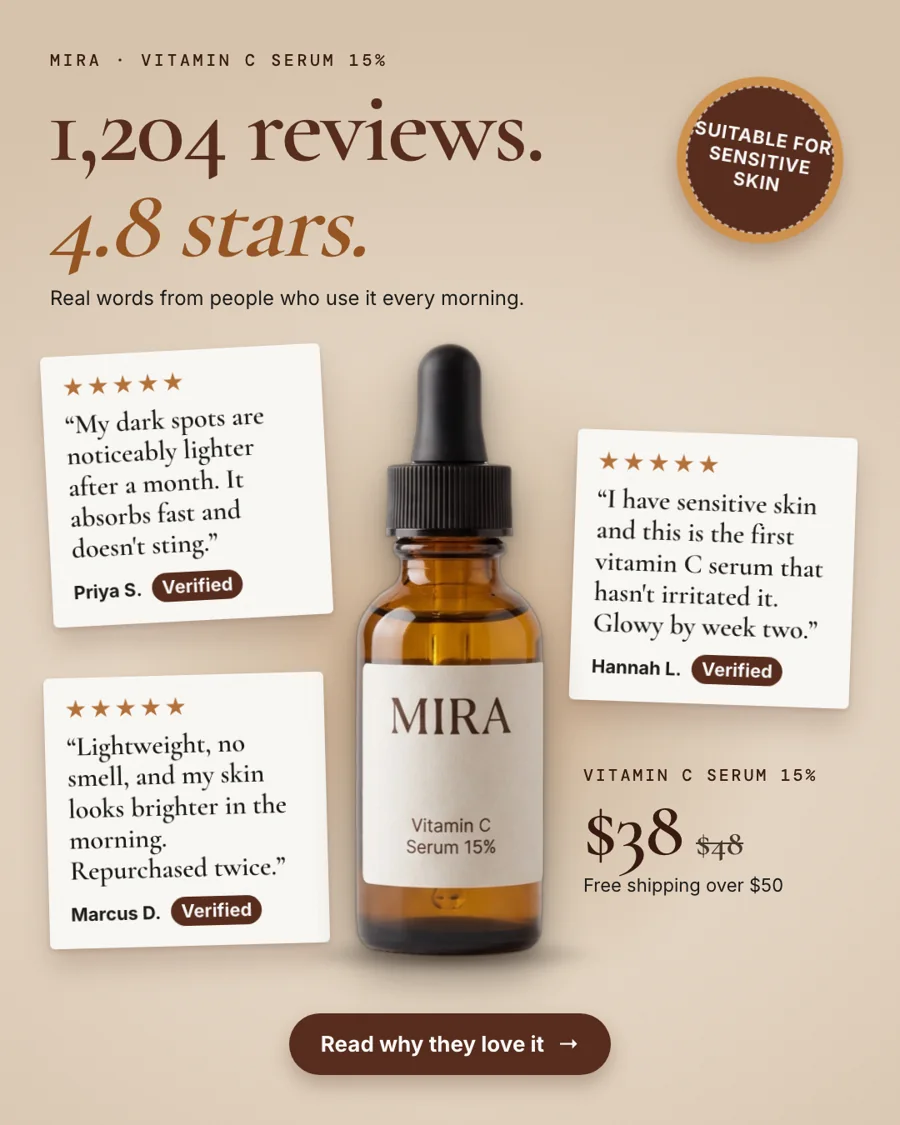
- Your real product photo, never redrawn. We cut out your photo and design the ad around it, so labels and packaging stay exactly as shoppers will see them.
- Every fact checked. Prices, sale prices, star ratings and review quotes are read from your store and matched before an ad reaches you.
- New designs every week. 10, 20 or 30 ads every Monday on weekly plans, each on a different reason to buy, in 4:5, 1:1 and 9:16 for Meta plus 2:3 and 1.91:1 for Pinterest and Google.
How to use both
- StoreToAds makes this week's ads from your store. You keep the ones you like and change any word in the browser.
- Download all sizes and add them to your Advantage+ campaign in Ads Manager, or send them to Meta as paused ads and publish the ones you want.
- Turn on the Advantage+ creative enhancements you are comfortable with. If you want your product shown exactly as photographed, review the ones that generate or expand images before you publish.
- On weekly plans, the results of the ads you sent through StoreToAds come back every day, and next Monday's batch leans on the reasons to buy that sold.
Honest note: Send to Meta uploads the 4:5 version and creates each ad paused, in its own campaign. To put the 1:1 and 9:16 sizes into an Advantage+ campaign, download them and add them in Ads Manager.