discount ad generator

Discount ads where the saving is real and reads in one second

A discount ad has one job: make the saving obvious without making the product look cheap. StoreToAds builds was-and-now ads from the prices your store actually shows, so the number in the ad is the number at checkout.

Launching soon. Early access opens in small batches; we'll email you first.

Percent off or dollar off?

A useful rule of thumb: on products under $100, a percentage usually looks like the bigger saving; above $100, the dollar amount usually does. It is a rule of thumb, not a law, so the honest answer is to run both and let the results decide.

Our fictional sample brand Mira sells its Vitamin C Serum for $38, down from $48. That saving can be written as "$10 off" or as "21% off". The ad below leads with the dollar amount and keeps the old price struck through, so the maths is visible.
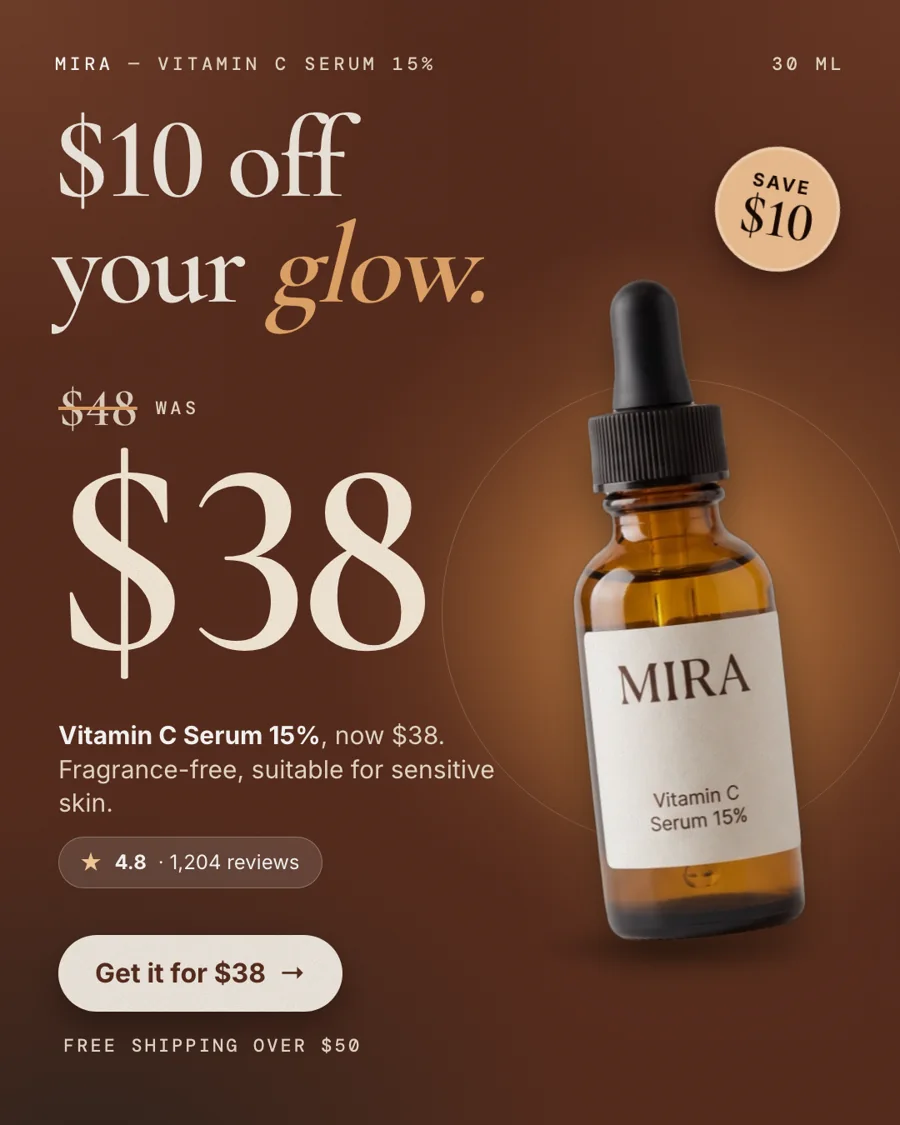
Price-drop ad for Mira (a fictional sample brand): "$10 off your glow.", was $48, now $38, with the rating and the free-shipping line from the store.
Fictional samplePrice-drop ad for Mira (a fictional sample brand): "$10 off your glow.", was $48, now $38, with the rating and the free-shipping line from the store.

What makes a discount ad convert

  • Show both prices. The old price struck through next to the new one proves the saving without a single extra word.
  • Keep the product larger than the price tag, so the click is about the product.
  • One offer per ad. "20% off plus a free gift plus free shipping" reads as noise.
  • Name the condition: the code, the minimum order, which products are included.
  • Add one reason to buy beyond price, such as a rating or a short review line.

Mistakes that cost trust

  • A "was" price you never really charged. Some countries regulate reference prices, and shoppers notice.
  • A code in the ad that fails at checkout.
  • "Up to 70% off" on an ad whose hero product is 10% off.
  • A discount ad still running a week after the sale ended.

How it works

How StoreToAds makes it

  1. 01

    Set the sale price in your store

    Your compare-at price and sale price become a price-drop ad. Without a real compare-at price, we do not make one.

  2. 02

    Add codes and conditions in Your brief

    Write the offer as you want it said, for example "15% off your first order with code HELLO15". It is used word for word.

  3. 03

    Every number checked

    The prices in the ad are compared with your product page before delivery. An ad with a mismatch is fixed or not delivered, and you are not charged for it.

  4. 04

    Change the offer later

    Click any price or line in the editor to change it, or ask AI to turn the ad into an evergreen version without the sale.

Examples

Fictional sample brands. Drag across an ad to see the store photo it was made from; our engine designed each one from that photo and the store's data.

Sample stores
The finished Mira ad: BenefitMira Vitamin C Serum 15%: the product photo from the store

Mira

Skincare

Vitamin C Serum 15%

  • Price checked
  • Reviews checked
  • 5 sizes

Reason to buy: Benefit

Make this for my store

Questions

Can StoreToAds invent a discount for testing?

No. A discount appears only when your store shows a sale price or you type an offer in Your brief.

Will my discount code appear in the ads?

Only if you include it in the offer you type. We never guess codes from your site.

Can I use the same discount ads on Pinterest and Google?

Yes. Every ad also comes in 2:3 for Pinterest and 1.91:1 for Google. Download them and upload them in each ad platform yourself.

Do discount ads hurt a premium brand?

They can if they are all you run. Keep offer ads as part of a mix that also includes review and product-detail ads, and watch which ones bring buyers who come back.






