320x50 mobile banner ad maker

320x50 mobile banners: brand, a few words, one tap

The 320 x 50 mobile banner is the thin strip pinned to the top or bottom of phone screens in apps and mobile sites. It is tiny, which makes it a reminder rather than a pitch. StoreToAds does not make fixed 320 x 50 files yet; here is what works in the strip, and what we make instead.

Launching soon. Early access opens in small batches; we'll email you first.

The 320x50 at a glance

320 x 50
Size320 x 50 px (about 6:1)
Google's nameMobile banner (300 x 50 is a separate mobile banner size)
Where it showsTop or bottom of mobile apps and mobile sites
File limit150 KB for uploaded image ads in Google Ads
Google Ads Help, uploaded display ads specifications, October 2026.

What fits in 50 pixels

  • Your logo or name. Recognition is most of what a strip this small can do.
  • Three to five words: a benefit or an offer, not both.
  • A tiny product image only if the product reads as a shape at this size, like a can, a bottle or a shoe.
  • A button or arrow on the right.
  • No prices with conditions, no review quotes, no fine print.

Accidental taps are a common complaint with small sticky banners, so judge them by add-to-carts and sales, not clicks alone.

What StoreToAds makes instead

We do not make fixed mobile banners or HTML5 banners yet. Each ad includes the images Google's responsive display ads use: a 1200 x 628 landscape, a 1080 x 1080 square and a 1080 x 1920 vertical. Google's list of common mobile sizes includes small strips like 300 x 50, and responsive ads adjust to fit them. At that size there is little room for an image, so your headline and logo do the work.

On phones, the bigger chance is usually full screen. The same ads come in 9:16 for Instagram and Facebook Stories and Reels, and in 4:5 for feeds, where your real product photo has room to sell.
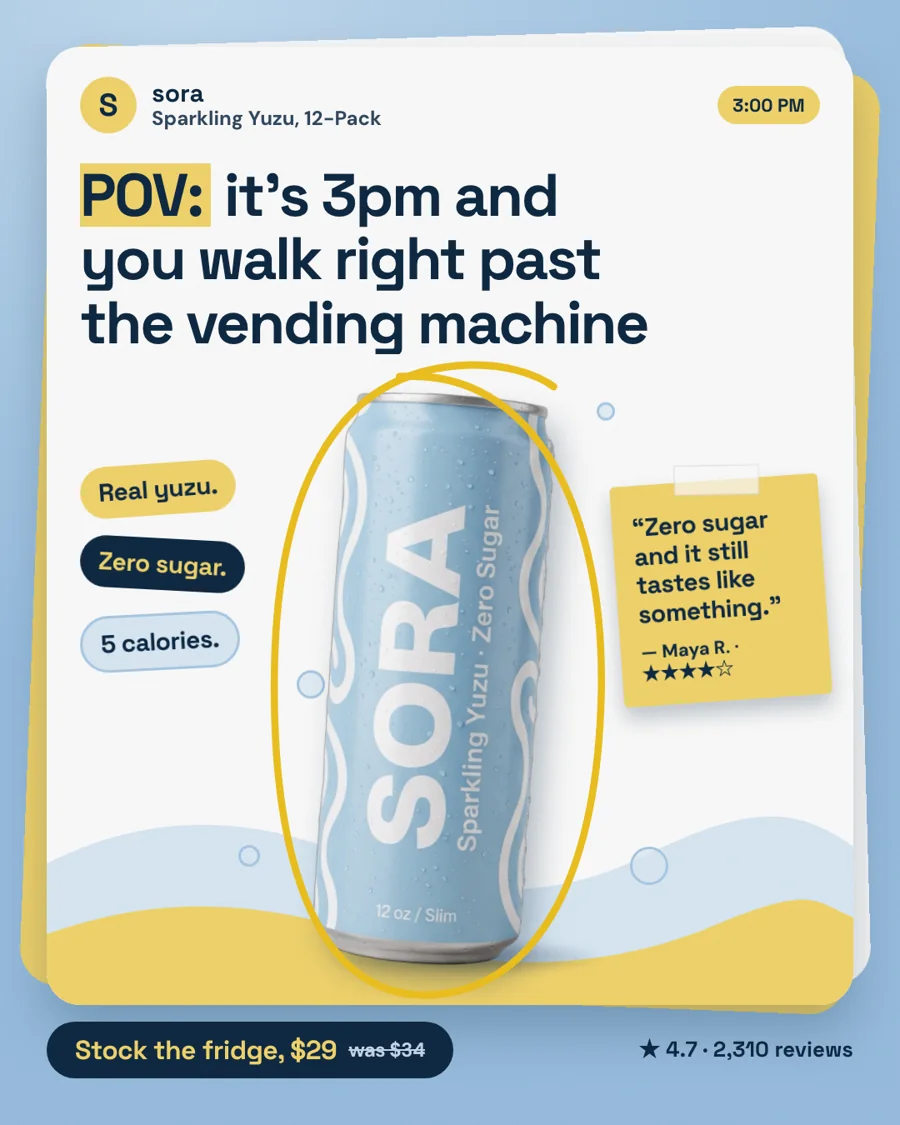

POV ad for Sora, our fictional sample drinks brand (4:5 shown): a full idea, product and price, which a 320 x 50 strip could never hold.
Fictional samplePOV ad for Sora, our fictional sample drinks brand (4:5 shown): a full idea, product and price, which a 320 x 50 strip could never hold.

How it works

How StoreToAds makes it

  1. 01

    Paste your store

    We read your products, prices and reviews; screenshots or typed details work when a store blocks reading.

  2. 02

    Lead with full-screen sizes

    Every ad comes in 9:16 and 4:5 for phone feeds, Stories and Reels, plus Google's landscape and square images.

  3. 03

    Write short Google headlines

    In Google Ads, pair the images with headlines of a few words: in small mobile slots, the headline is what people read.

Examples

Fictional sample brands. Drag across an ad to see the store photo it was made from; our engine designed each one from that photo and the store's data.

Sample stores
The finished Sora ad: PersonalitySora Sparkling Yuzu, 12-Pack: the product photo from the store

Sora

Drinks

Sparkling Yuzu, 12-Pack

  • Price checked
  • Reviews checked
  • 5 sizes

Reason to buy: Personality

Make this for my store

Questions

Is 320x50 the same as 300x50?

Close, but not the same. Both are mobile banner sizes in Google's uploaded display ad specs, and a fixed-size buy needs the exact one.

Can StoreToAds make 320x50 banners?

Not yet. Fixed banner sizes and HTML5 banners are not offered. Google's responsive display ads can fill small mobile slots using the images we do make.

Are mobile banners worth it for a small store?

They are cheap reminders, best for people who already know you. For a first impression on a phone, a 4:5 feed ad or a 9:16 Story shows far more of the product.






