Playbooks
Product photos that sell: the shots every ad needs
Ads ask more of a photo than a product page does. Here is how to shoot, with a phone and a window, the handful of photos that can carry months of ads.
By the StoreToAds team · · 5 min read
Why ad photos are a different job
A product page photo gets looked at large, zoomed in and next to a price. An ad photo gets a fraction of a second at the size of a stamp. It gets cropped to square, portrait, vertical and wide, and it has to share space with a headline, a price and a button. A photo that looks lovely on your product page can fall apart in an ad.
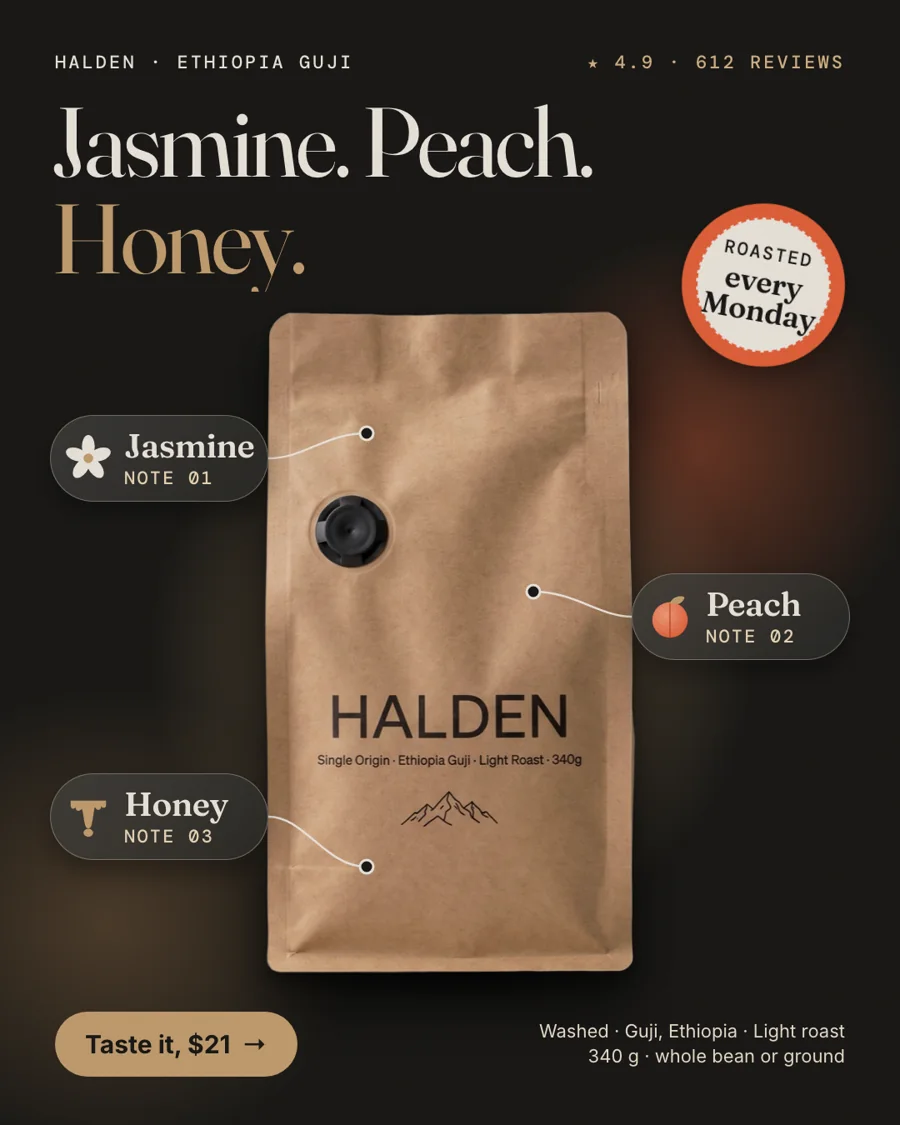
This matters even more with StoreToAds, because every ad is built around your real product photo. We cut out the product cleanly and design the layout around it, but we never redraw or repaint it. The photo you shoot is the photo your customers see. A better photo means a better ad, every week.
The shot list
You don't need twenty photos. You need a few that each do a clear job.
| Shot | What it's for | How to get it |
|---|---|---|
| Hero on a plain background | The cutout most layouts are built on | Product centered, room on every side, plain light backdrop |
| Straight-on label | Callouts and a readable name | Camera at label height, label flat and sharp |
| Three-quarter angle | Depth for calmer, premium layouts | Turn the product about 30 degrees |
| Detail close-up | Proof: texture, stitching, the ingredient panel | Get close, focus on one detail |
| Scale in hand | Honest size | A hand or a familiar object next to it |
| Two or three lifestyle photos | Full-bleed ads with a headline over a calm area | The product in real use, no text added |
Set up: a window, two boards and a phone
- Window light, not sun. A big window with indirect light is a free softbox. Shoot beside the sunbeam, not in it.
- A white or light grey board, curved behind and under the product, so there is no horizon line.
- A second board on the shadow side to bounce light back in.
- Room lights off. Window light plus a warm bulb puts two colors on one product, and no edit fixes both.
- Clean the lens. A phone lens picks up a film from your pocket that turns highlights into haze.
- Main lens, full resolution, no digital zoom. Every crop later spends pixels.
- Tap to focus, then lock exposure and pull it down a little so bright packaging keeps its detail.
- Steady the phone on a small tripod or a stack of books.
The hero shot, step by step
- Place the product in the middle of the board with plenty of space around it. You can always crop in; you can't add space that isn't there.
- Put the camera at the height of the label and keep it level, so the name reads straight.
- Check the edges. A dark product needs a light backdrop and a pale product a mid grey one, so the outline stays crisp.
- Take 20 to 30 frames, nudging the product and your angle a little between shots.
- Pick the winner on a laptop screen, not the phone.
Shots that cut out cleanly
Clean cutouts come from sharp edges and contrast with the background. Keep props from touching the product, avoid shadows that merge into it, and wipe off dust and fingerprints. Glass and shiny packaging are the hardest: black cards held just out of frame on each side give clear glass a defined edge, and moving the light to the side keeps one hot reflection from looking like a hole.
Lifestyle photos that work in ads
One or two in-context photos let an ad answer the question a cutout can't: what is this like in my life? For them to work in ads:
- The product is clearly the subject, not a guest in a busy scene.
- There is a calm area (a wall, a tabletop, some sky) where a headline can sit.
- Nothing is written on the photo. No text, stickers or logos baked in, because the ad's words go on top.
- No other brands' products or logos in the frame.
- Shoot both a horizontal and a vertical version while the scene is set up.
The crop test
Before you rely on a photo, crop it to the shapes your ads will use: 4:5 for the feed, 1:1 square, 9:16 for Stories, 2:3 for Pinterest and 1.91:1 for Google. Does the product, label included, survive each one with some margin? Then shrink it to thumbnail size and look from arm's length. If you can't tell what is for sale in a second, reshoot with more space around the product rather than fighting the crop tool.
Checklist before you upload
- One product, one clear focal point.
- Label straight, sharp and readable.
- Edges crisp against the background.
- One light source, no mixed color cast.
- Highlights keep their detail, nothing blown to pure white.
- Space on every side of the product.
- Survives 4:5, 1:1, 9:16, 2:3 and 1.91:1 crops.
- Recognizable at thumbnail size.
- Honest about size when size matters.
- Lifestyle shots have no text or other brands in them.
Where your photos go next
StoreToAds reads the photos already on your product pages. It ranks every usable image, picks the cleanest ones for cutouts and the text-free lifestyle shots for full-bleed layouts, and builds ads in all five sizes around them. So the best way to improve your ads is to put better photos on your product pages. If you add a product by hand, or upload photos to your brand kit, the same rules apply. More on that on the product photo to ad page.