pebblely alternative

A Pebblely alternative for finished ads, not just new photos

Pebblely makes product photos: it places your product in a new AI-generated scene. StoreToAds makes ads. It takes the product photos already on your store and builds finished ads around them, with a headline, price, reviews and a call to action, all checked against your store.

Launching soon. Early access opens in small batches; we'll email you first.

What Pebblely is great at

Pebblely is an AI product photography tool. You upload a product shot and it generates a styled background or scene around it, with 100+ templates and bulk generation for whole catalogs. If your photos are flat packshots on a kitchen counter, Pebblely can make them look styled in minutes, for listings, social posts and ads.

Where StoreToAds is different

A styled photo is not yet an ad. It still needs a reason to buy, proof, an offer and a button, sized for each placement. That is the part StoreToAds does, and it does it without changing your product.

StoreToAdsPebblely
What you getFinished ads: headline, proof, price, CTAProduct photos in new scenes
Your productReal photo, never redrawnYour product placed in AI scenes
Copy and factsWritten from your store, prices and quotes checkedNot its focus: it makes images
Sizes5 ad sizes from one checked designThe image sizes you choose
New workA fresh batch of ads every weekWhen you generate
From Pebblely's public pages, October 2026.

We never generate scenes. Backgrounds in StoreToAds ads are designed with color, type and shape, or use your store's own lifestyle photos.
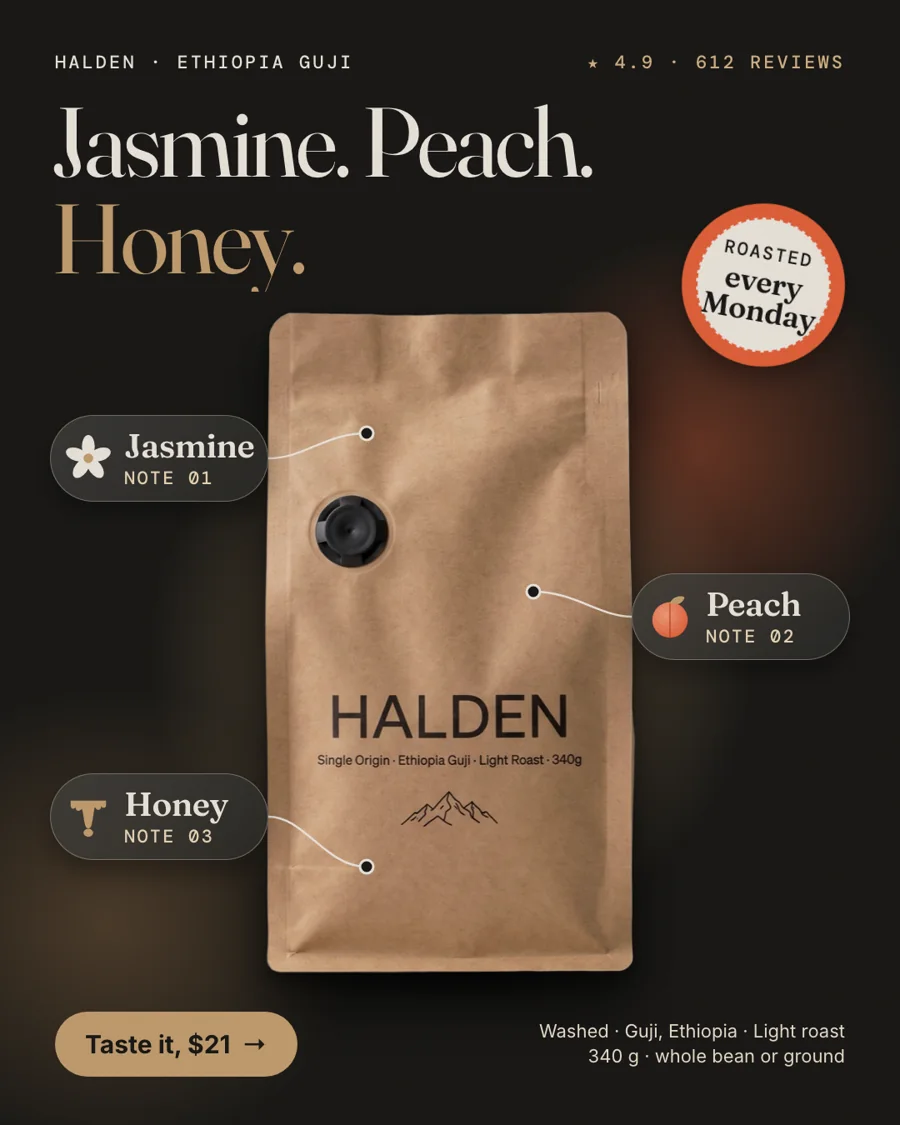
Halden, our fictional sample coffee brand: the real bag on a designed dark background, with tasting notes from the product page.
Fictional sampleHalden, our fictional sample coffee brand: the real bag on a designed dark background, with tasting notes from the product page.

Which one should you pick

  • Pebblely if your main problem is the photo: you need more styled product images for listings and social.
  • StoreToAds if your store already has usable photos and you need ads made from them, every week.
  • Both, in order: put a Pebblely scene you like on your product page. StoreToAds reads your store's images and can use lifestyle shots that have no text on them.


How it works

How StoreToAds makes it

  1. 01

    Use the photos you have

    We read the images on your product pages and pick clean product cutouts and calm lifestyle shots.

  2. 02

    Add the reason to buy

    Each ad gets its own angle: a review, a benefit, a store offer, a comparison.

  3. 03

    Checked before delivery

    Prices, ratings and quotes are matched to your store. Anything that fails is fixed or left out.

  4. 04

    Ready for each placement

    4:5 feed, 1:1, 9:16 story, 2:3 Pinterest and 1.91:1 Google, plus a 7-second motion version on demand.

Examples

Fictional sample brands. Drag across an ad to see the store photo it was made from; our engine designed each one from that photo and the store's data.

Sample stores
The finished Mira ad: BenefitMira Vitamin C Serum 15%: the product photo from the store

Mira

Skincare

Vitamin C Serum 15%

  • Price checked
  • Reviews checked
  • 5 sizes

Reason to buy: Benefit

Make this for my store

Questions

Will StoreToAds put my product in a new scene?

No. We design around your real photo with color, type and layout, or use your own lifestyle photos. Your product stays exactly as photographed.

Can my ads use images I made in Pebblely?

Yes, if they are on your product pages, since we read your store's images. You can also add photos when you enter a product by hand.

My product photos are weak. Which tool comes first?

Fix the photo first. A sharp shot of the whole product with a readable label makes better ads in any tool. Our guide to [product photos that sell](/blog/product-photos-that-sell) shows how with a phone.





